


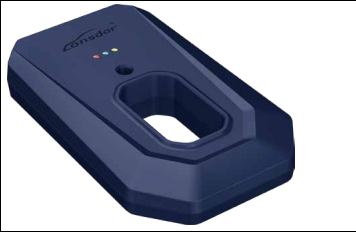
汽车智能钥匙
产品介绍
KW100,采用 DC5V TYPE-C 接口供电,手机开启蓝牙,通过 lonsdor APP 连接设备 ,将待生成钥匙 放置在设备钥匙孔,通过 APP 操作即可进行生成设置,确保蓝牙子机生成器接好 5V type-C 电源,BLUE 指示灯常 亮。 搜索对应品牌车型,可进行选择频率,子机生成、修改频率、修改按键等操作,点击更多功能,可进行获取版本 信息、读取按键功能、修改按键、 修改频率、智能卡生成、升级钥匙、
The KW100, Bluetooth Smart Key Generator, is powered by a DC5V Type-C interface. Turn on Bluetooth on mobile phone and connect to KW100 via the Lonsdor APP. Place the key to be generated in the device's slot, and you can proceed with Key generation and Settings through the app. Make sure the Bluetooth Smart Key Generator is connected to a 5V Type-C power source, and the BLUE indicator light remains on. When searching for the corresponding Make and Model of the car, you can select various operations such as smart key generation, frequency modification, key button modification, and more. Click on "More Functions," you will see access features like obtaining version information, reading key functions, modifying buttons, changing frequencies, generating smart key, upgrading key, modifying remote control counts, and key unlocking, etc.
修改遥控计数值、钥匙解锁等操作。